

Adapters
HDMI Male to DVI 24+5 Female Adapter
Seamlessly bridge the gap between digital HDMI sources and analog or digital DVI-I displays using this high-performance, pocket-sized hardware converter.
Product Images & Video
Key Features
High-Performance DVI-I 24+5 Cross-Compatibility
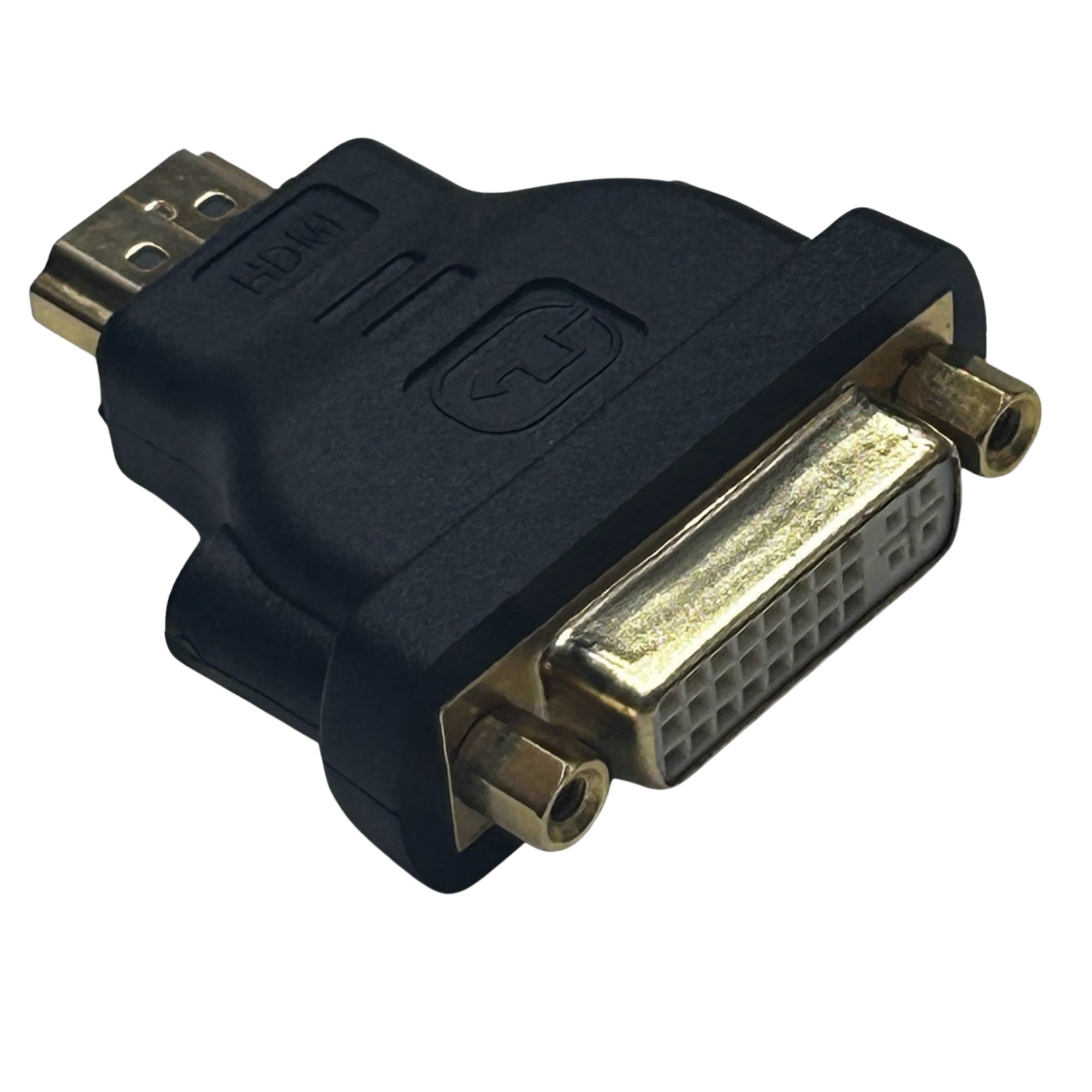
Engineered with a full DVI-I 24+5 female interface, allowing it to accept digital DVI-D (24+1 or 18+1) as well as integrated digital/analog DVI-I (24+5 or 18+5) male cables, maximizing hardware reuse across legacy and modern setups.
Bidirectional Signal Architecture
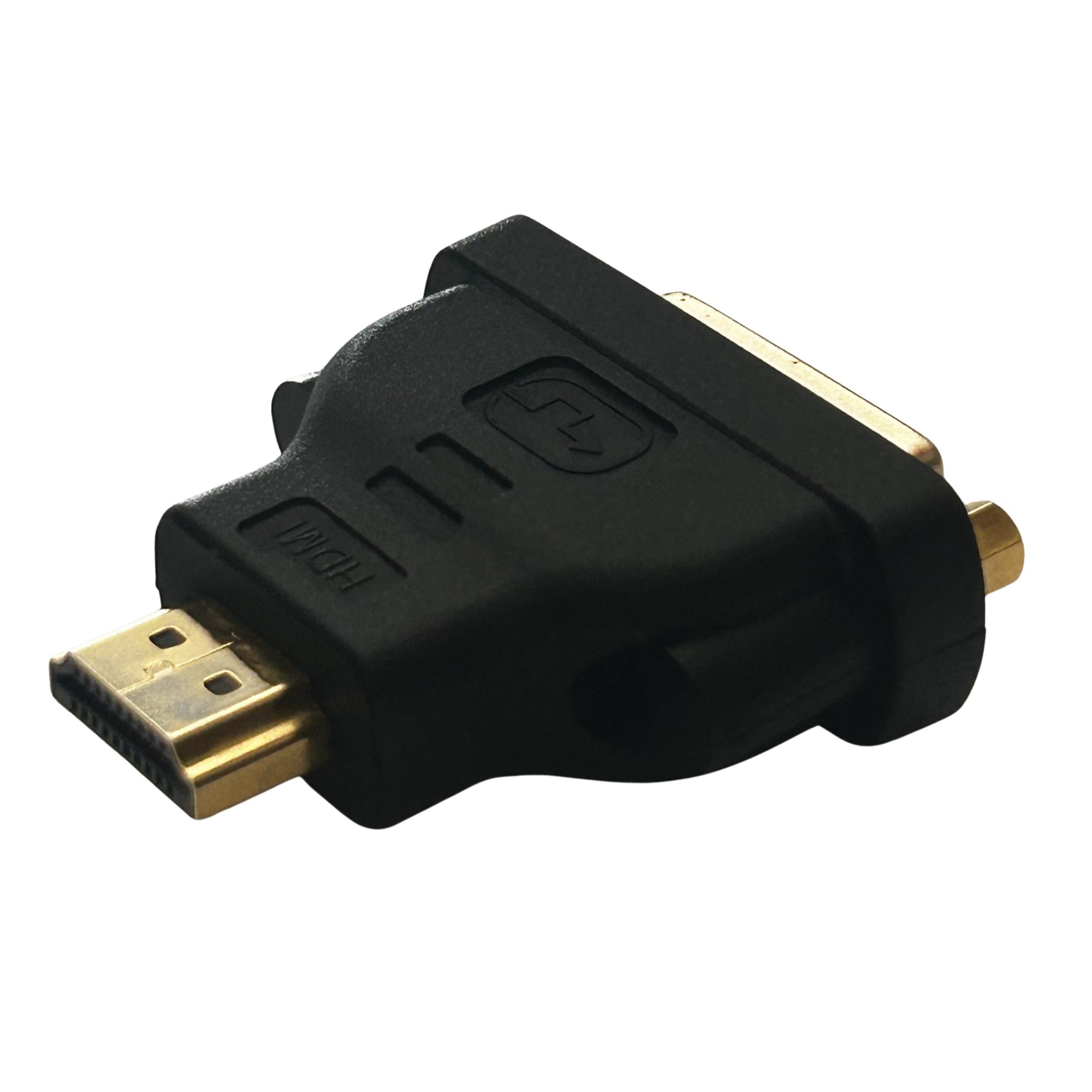
Operates as a passive hardware bridge, enabling seamless video data transmission from an HDMI graphics card/source to a DVI monitor, or conversely, from a DVI host computer to an HDMI-equipped display panel.
Precision Ergonomic Housing Dimensions
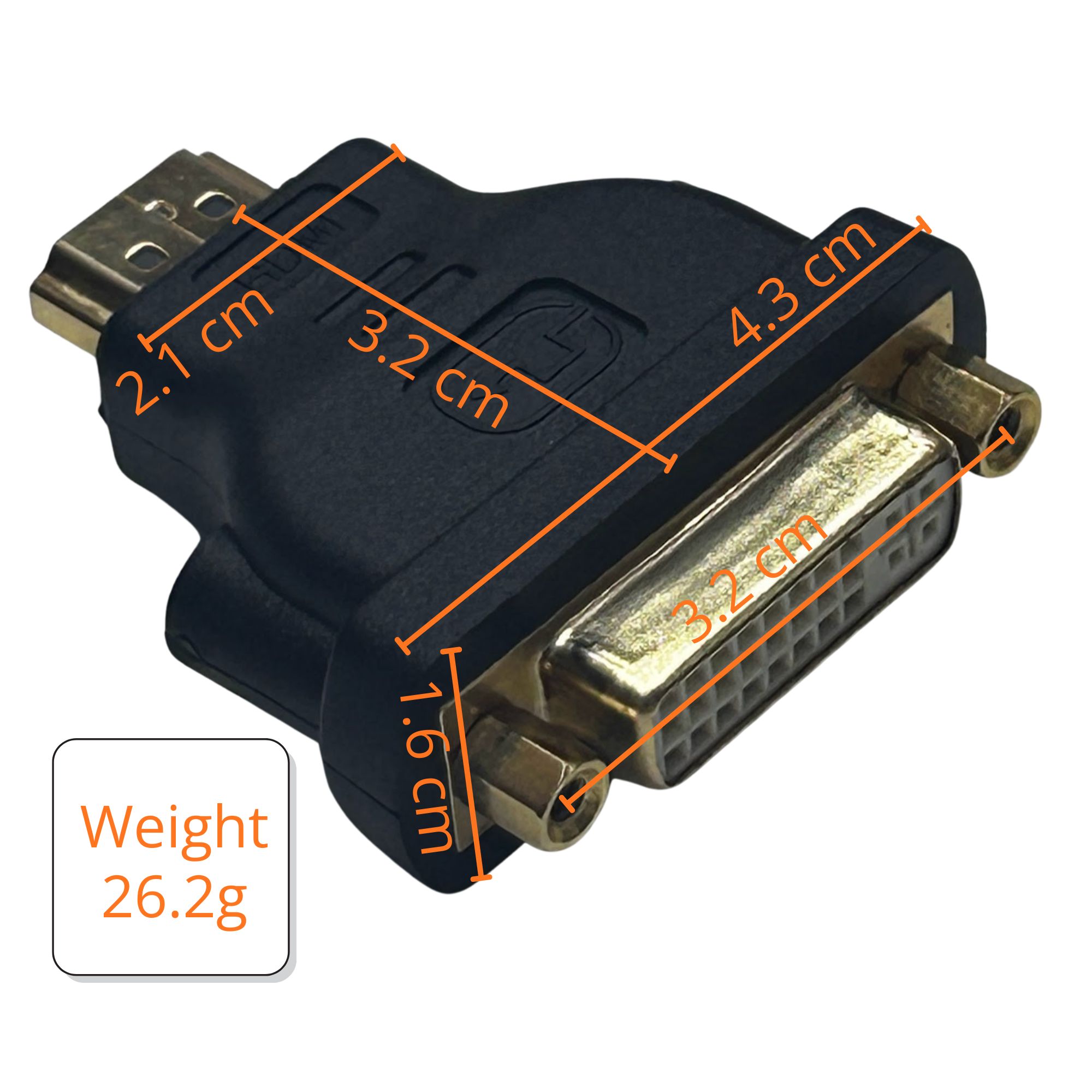
Molded with a compact, stepped physical profile to fit comfortably behind dense hardware panels and device chassis with exact dimensions:
- Total Inline Length: 3.2 cm total depth from the tip of the HDMI plug to the rear DVI face.
- Maximum Interface Width: 4.3 cm across the wide DVI structural housing.
- Body Thickness Profile: A slim 1.6 cm vertical footprint that tapers down to a 2.1 cm intermediate step block.
Substantial Structural Build
Weighing 26.2g, this heavy-duty adapter features a solid, robust internal shielding core that dampens physical vibrations and maintains absolute connection stability.
Integrated Dual Locking Thumbscrews
Outfitted with side-mounted, threaded thumbscrew receptacles designed to lock tightly with the male thumb bolts of incoming DVI cables, preventing accidental cable dropouts, signal loss, or loose-contact screen flickering.
Flawless Digital Video Pass-Through
Delivers crisp, uncompressed high-definition video data, supporting standard monitor resolutions up to Single-Link 1920x1200 and Full HD 1080p with zero latency or signal degradation.
Corrosion-Resistant Gold Plating
Features premium gold-plated contacts on both the HDMI male connector and the internal DVI female pins to prevent surface oxidation, reduce contact resistance, and preserve video signal purity over years of continuous operation.
Technical Specifications
| Specification | Details |
|---|---|
| Product Model | HDMI Male to DVI 24+5 Female Adapter |
| Interface Connector A | HDMI Type A Standard Male |
| Interface Connector B | DVI-I (24+5 Pin) Female Layout (Supports Dual-Link / Single-Link Digital and Analog pinout shapes) |
| Total Inline Depth | 3.2 cm (HDMI Tip to DVI Face) |
| Maximum Body Width | 4.3 cm (Across DVI Shell Envelope) |
| Chassis Thickness | 1.6 cm Main Block Profile |
| Tapered Step Profile | 2.1 cm Intermediate Port Transition |
| Item Net Weight | 26.2g |
| Maximum Supported Video Resolution | 1920 x 1200 @ 60Hz, Full HD 1080p |
| Signal Direction | Passive Bi-directional Architecture (HDMI to DVI or DVI to HDMI) |
| Audio Transmission | None (Video Pass-Through Only; separate audio cable required for sound) |
| Locking Mechanism | Dual Threaded Thumbscrew Receptacles |
| Contact Plating | High-Conductivity Gold-Plated Pins and Shell |
| Housing Material | High-Impact Molded PVC Shell with Integrated Internal Shielding Core |
| Driver Requirement | Plug-and-Play (Pure Hardware Pass-Through) |
Applications
- Legacy Monitor Integration – Connects older DVI-D or DVI-I desktop monitors to modern laptops, graphics cards, mini-PCs, or gaming consoles that only feature HDMI outputs, extending the lifespan of perfectly functional display hardware.
- Dual-Screen Office Setup Workspace – Facilitates multi-monitor configurations by allowing corporate workstations or home offices to utilize a secondary, DVI-equipped flat panel display alongside a primary HDMI screen from a single modern GPU.
- Retro Gaming & Arcade Cab Optimization – Ideal for arcade builders and retro gaming enthusiasts needing to interface modern HDMI emulation systems, consoles, or raspberry pi units with legacy DVI flat panels or digital display matrices.
- Server Room Rack Headless Management – Bridges KVM switch lines or server rack diagnostic monitors that rely on DVI inputs to newer server blades and network hardware that output digital HDMI signals.
- Commercial Presentation & Projector Linking – Enables technicians to easily bridge ceiling-mounted digital projectors or structural boardroom displays that use long, pre-routed legacy DVI cabling directly to a presenter’s modern HDMI laptop.
Package Contents
Safety & Compliance
Important Safety Instructions:
Warranty & Support
Warranty Information
Please contact us for warranty information specific to this product.
Customer Support
For support, please visit our Contact Us page.
Interested in this product?
Contact us for pricing, bulk orders, or technical specifications.